

- If you own the team where the domain is registered, delete the domain so you can add it in your desired team.
- If you do not have access to the team where the domain is registered, you can prove ownership and claim the domain by adding a TXT record to your DNS and then verifying the claim.
Why This Happens
Common reasons a domain you own may already be registered:- A team member or contractor added it to a separate Resend team.
- You are logged into a different Resend team than the one where the domain was originally added.
Claim a domain
Claim a domain by adding a TXT record to your DNS, or do it in one click via DomainConnect for supported registrars. This record is provided along with the alert in your Dashboard, or when you use the Domains API and call the Claim Domain API endpoint.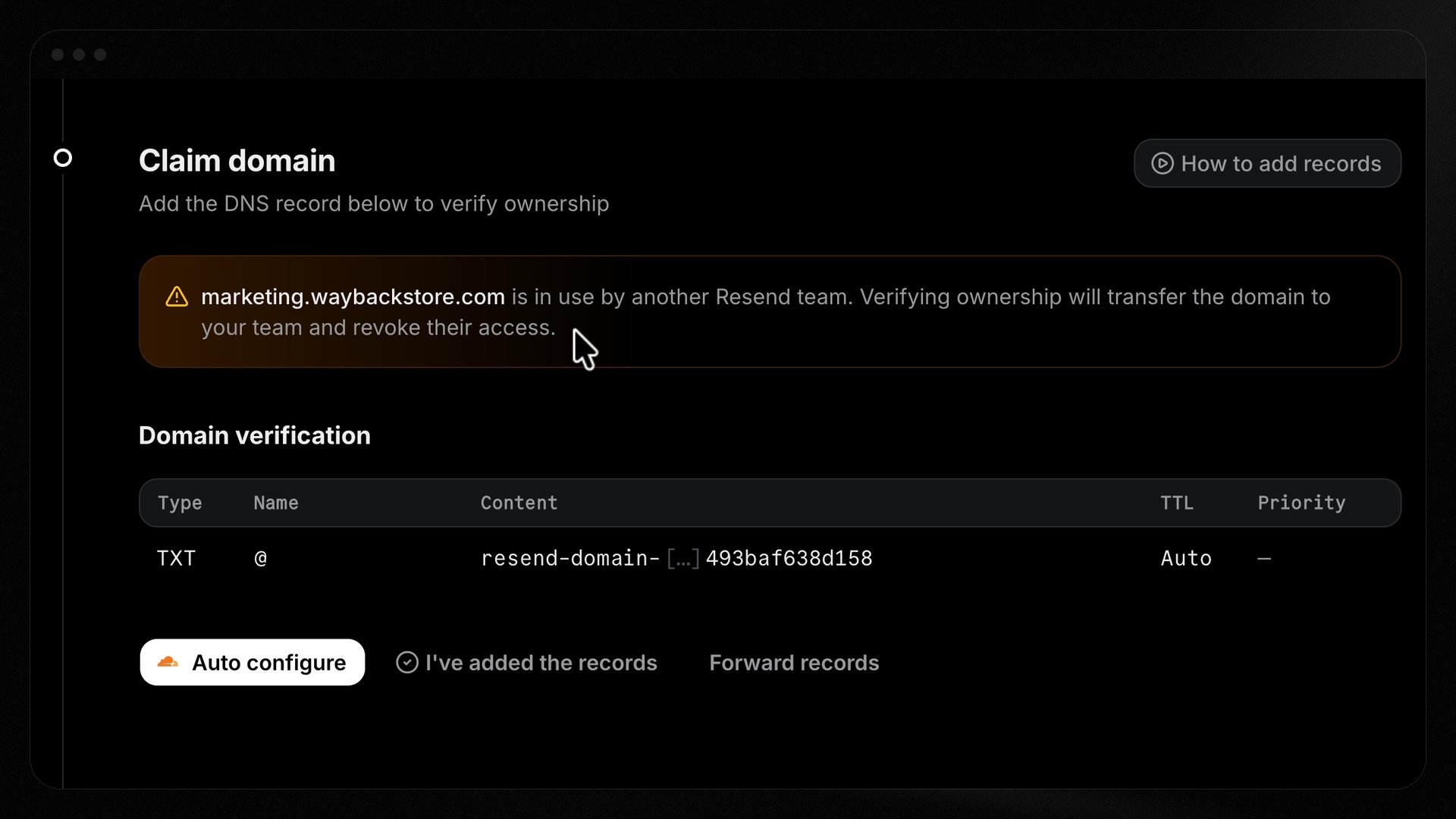
Using the Domains API
1
Start a claim
Call Claim Domain with the domain
name. Resend creates a placeholder domain on your team and returns a
domain_claim containing a TXT record to add to your DNS.2
Add the TXT record
Add the returned TXT record at your DNS provider. It proves you control the
domain.
3
Verify the claim
Call Verify Domain Claim.
Resend checks the TXT record and runs ownership-safety checks before
transferring the domain.
4
Track the status
Poll Get Domain Claim until the
claim reaches
completed.Claim status
When a claim is
blocked, blocked_reason explains why: grace_period,
recent_owner_activity, or pending_scheduled_emails.
Canceling a claim
Cancel a pending claim initiated with the API by deleting its placeholder domain with Delete Domain, using thedomain_id
from the domain_claim object.